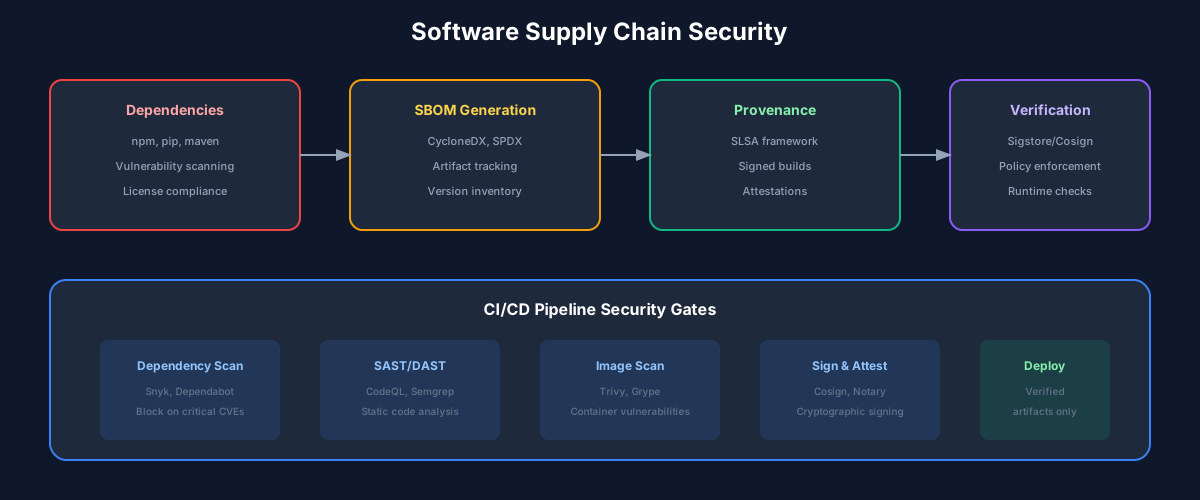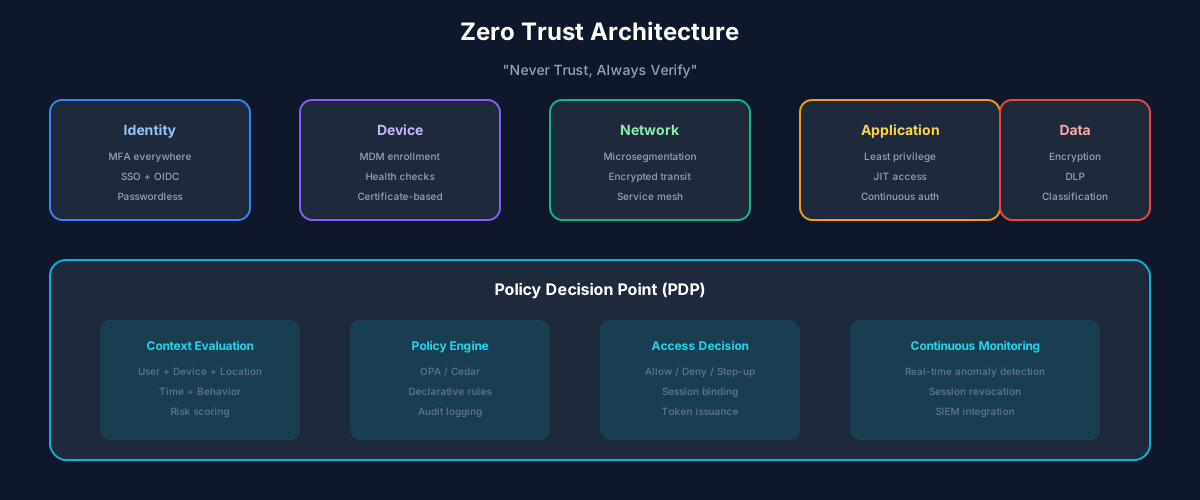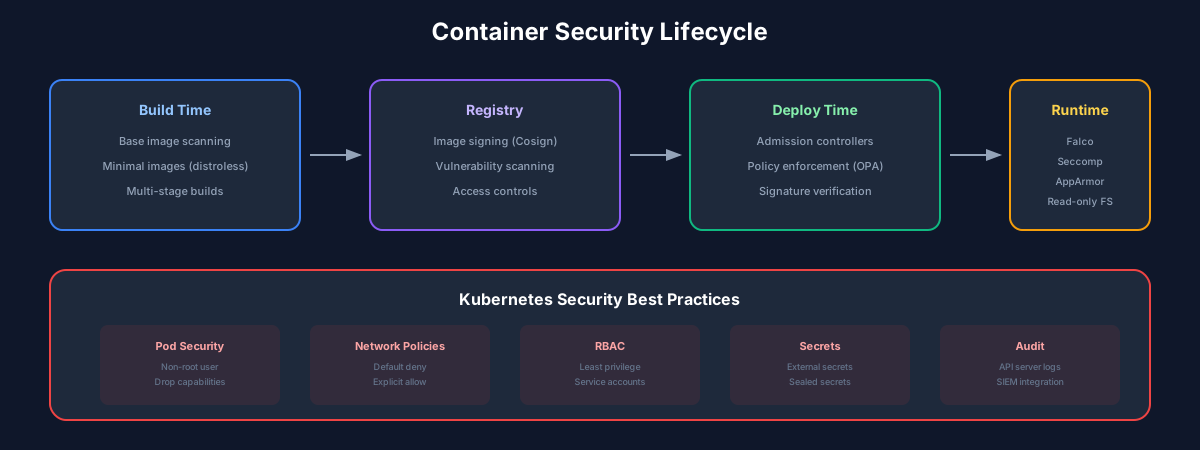
The Container Security Lifecycle
Containers introduced new security challenges. Images can contain vulnerable dependencies. Runtime environments can be misconfigured. Orchestrators can be exploited. Effective container security addresses each phase: build, ship, and run.
Build-Time Security
Security starts in your Dockerfile. Every decision impacts your attack surface.
Base image selection: Alpine images are typically 5-10x smaller than Ubuntu-based images, with proportionally fewer vulnerabilities. Distroless images go further, containing only your application and its runtime dependencies. Consider scratch images for compiled languages.
Multi-stage builds: Compile in one stage, copy only artifacts to a minimal runtime stage. This keeps build tools out of production images.
User configuration: Never run as root. Create a dedicated user in your Dockerfile and switch to it before the CMD instruction. This limits damage if an attacker compromises your container.
Secrets handling: Never bake secrets into images. They remain in layer history even if deleted in later layers. Use runtime injection or secret management tools.
Image Scanning
Scan images for known vulnerabilities before they reach production. Integrate scanning into your CI pipeline and block deployments that fail policy checks.
Key scanning considerations:
Popular tools: Trivy, Snyk Container, Anchore Grype, Clair.
Runtime Security
Even perfect images can be exploited through runtime vulnerabilities. Implement multiple layers of runtime protection.
Pod Security: Run as non-root, use read-only root filesystems, drop all capabilities except those explicitly needed, and use seccomp profiles to restrict system calls.
Network Policies: Implement default-deny networking. Explicitly allow only required communication paths between services.
Resource Limits: Set CPU and memory limits to prevent resource exhaustion attacks and noisy neighbor problems.
Runtime Detection
Deploy runtime security tools that monitor container behavior and detect anomalies:
Tools like Falco, Sysdig Secure, and Aqua Runtime Protection provide this visibility.
Best Practices
Recommended Reading
💬Discussion
No comments yet
Be the first to share your thoughts!