From Skeptic to 2x Faster
"I don't need AI to write my code."
That was me six months ago. I'd tried Copilot, found it generated garbage, and turned it off. Then I watched a colleague ship a feature in half my time - same complexity, same quality. The difference: they knew how to use the tools.
AI coding assistants aren't magic. They're power tools. A chainsaw in untrained hands is dangerous and slow. In trained hands, it's transformative.
The Comment-First Pattern
Don't wait for suggestions. Tell the AI what you want:
// Validate email format using RFC 5322 regex
// Return { valid: boolean, error?: string }
// Handle edge cases: empty string, null, unicode
function validateEmail(email: string | null) {
  // AI generates implementation here
}
> If you only remember one thing: Detailed comments produce better code. The AI reads your comments as specifications.
Context Is Everything
AI suggestions are only as good as the context. Maximize it:
user-authentication.ts > utils.ts> Pro tip: Open related files in split view. More context = better suggestions.
Test-First Generation
Write the test, let AI write the implementation:
describe('calculateDiscount', () => {
  it('applies 10% for orders over $100', () => {
    expect(calculateDiscount(150)).toBe(15);
  });
  it('returns 0 for orders under $100', () => {
    expect(calculateDiscount(50)).toBe(0);
  });
});

// Now let AI implement calculateDiscount
The test IS the specification. AI fills in the implementation to pass.
When to Turn It Off
> Watch out: AI assistants can hurt more than help for:
Best Practices Checklist
FAQ
Q: Copilot vs Cursor vs others - which is best?
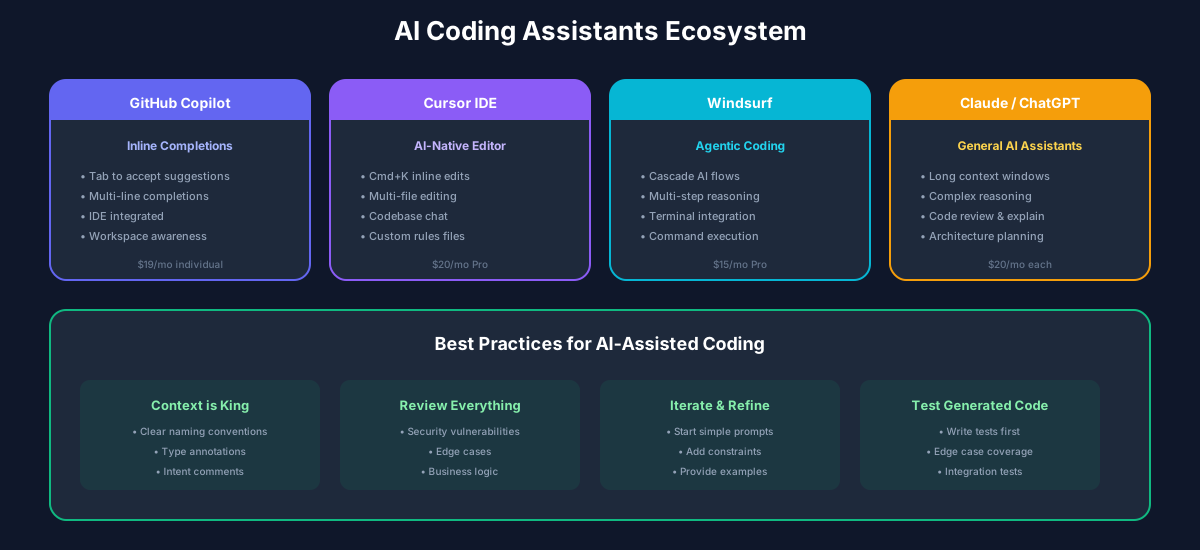
Try them. Copilot integrates seamlessly with VS Code. Cursor has better chat UX. Personal preference matters more than benchmarks.
Q: Is AI-generated code safe to ship?
Only after review. Treat it like code from a junior developer - helpful but needs checking.
Q: Will AI replace developers?
No. It replaces typing, not thinking. The hard parts of software engineering aren't typing speed.
Recommended Reading
💬Discussion
No comments yet
Be the first to share your thoughts!