Understanding Query Performance
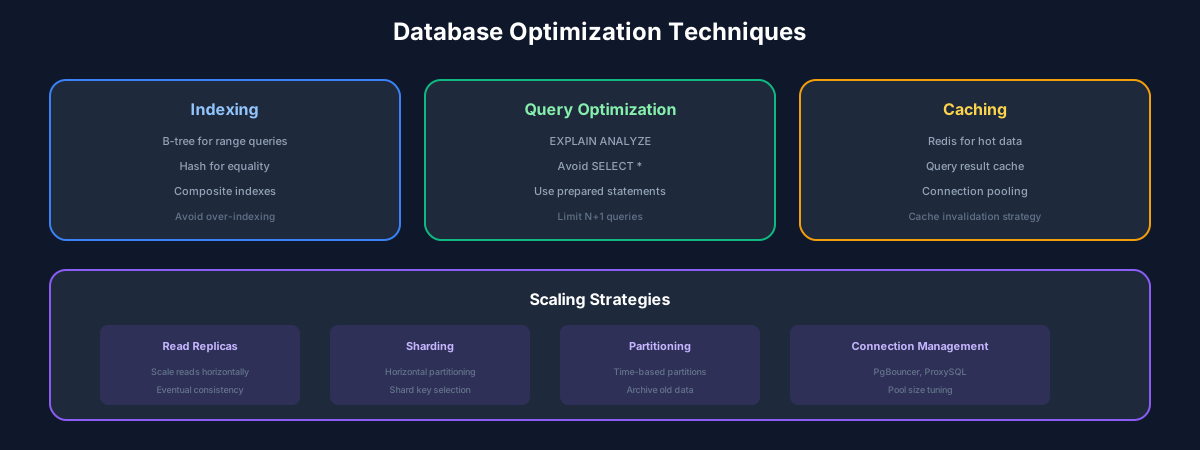
Database performance directly impacts application responsiveness. Understanding how databases execute queries is the first step to optimization.
The Query Execution Process
Indexing Strategies
Index Types
SQL
-- B-Tree Index (default, most common)
CREATE INDEX idx_users_email ON users(email);

-- Unique Index
CREATE UNIQUE INDEX idx_users_username ON users(username);

-- Composite Index (order matters!)
CREATE INDEX idx_orders_user_date ON orders(user_id, created_at DESC);

-- Partial Index (PostgreSQL)
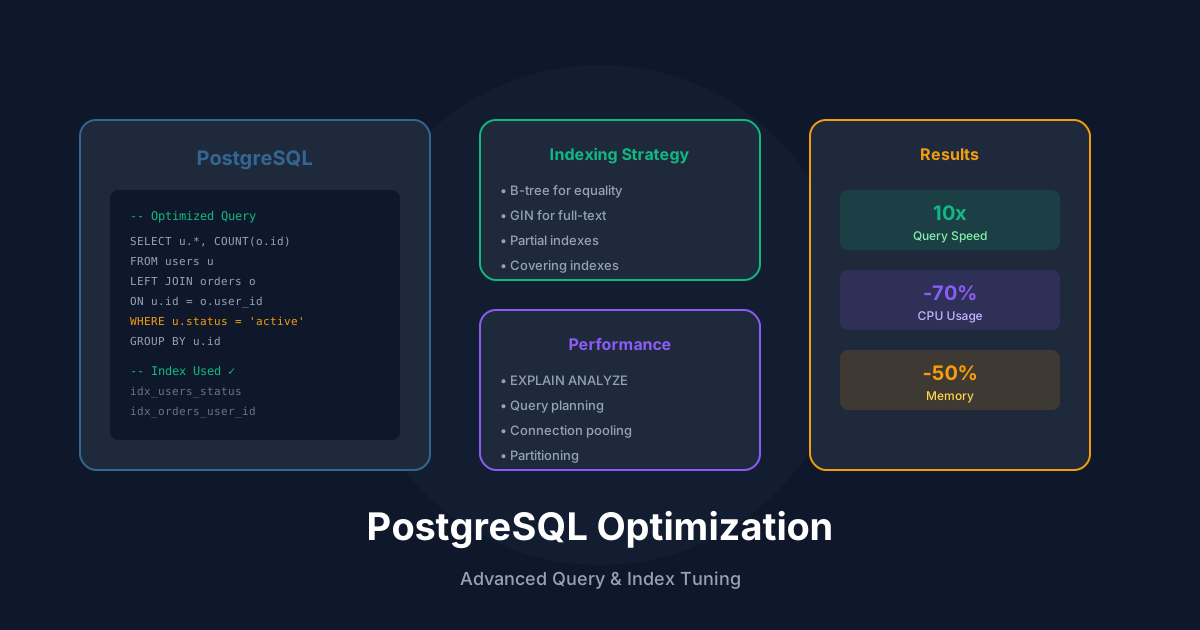
CREATE INDEX idx_active_users ON users(email) WHERE status = 'active';

-- Covering Index (includes extra columns)
CREATE INDEX idx_orders_covering ON orders(user_id)
  INCLUDE (total, status);

-- Full-text Index (PostgreSQL)
CREATE INDEX idx_posts_search ON posts USING GIN(to_tsvector('english', title || ' ' || content));
When to Use Indexes
Good candidates:
Poor candidates:
Index Analysis
SQL
-- PostgreSQL: Find unused indexes
SELECT
    schemaname,
    relname AS table_name,
    indexrelname AS index_name,
    idx_scan AS times_used
FROM pg_stat_user_indexes
WHERE idx_scan = 0
ORDER BY schemaname, relname;

-- Find missing indexes (slow queries)
SELECT
    query,
    calls,
    mean_time,
    total_time
FROM pg_stat_statements
ORDER BY mean_time DESC
LIMIT 20;
Query Optimization
EXPLAIN ANALYZE
SQL
EXPLAIN ANALYZE
SELECT u.name, COUNT(o.id) as order_count
FROM users u
LEFT JOIN orders o ON o.user_id = u.id
WHERE u.created_at > '2025-01-01'
GROUP BY u.id
ORDER BY order_count DESC
LIMIT 10;

-- Output:
-- Limit  (cost=1234.56..1234.78 rows=10 width=40) (actual time=15.432..15.445 rows=10 loops=1)
--   ->  Sort  (cost=1234.56..1245.67 rows=4444 width=40) (actual time=15.430..15.433 rows=10 loops=1)
--         Sort Key: (count(o.id)) DESC
--         Sort Method: top-N heapsort  Memory: 25kB
--         ->  HashAggregate  (cost=987.65..1032.10 rows=4444 width=40) (actual time=12.123..14.567 rows=4444 loops=1)
Common Optimizations
SQL
-- BAD: Function on indexed column prevents index use
SELECT * FROM users WHERE LOWER(email) = 'john@example.com';

-- GOOD: Create functional index or store normalized
CREATE INDEX idx_users_email_lower ON users(LOWER(email));

-- BAD: SELECT * fetches unnecessary data
SELECT * FROM orders WHERE user_id = 123;

-- GOOD: Select only needed columns
SELECT id, total, status FROM orders WHERE user_id = 123;

-- BAD: N+1 query pattern
for user in users:
    orders = db.query("SELECT * FROM orders WHERE user_id = ?", user.id)

-- GOOD: Single query with JOIN
SELECT u.*, o.*
FROM users u
LEFT JOIN orders o ON o.user_id = u.id;

-- BAD: OFFSET for pagination (slow on large offsets)
SELECT * FROM products ORDER BY id LIMIT 20 OFFSET 10000;

-- GOOD: Cursor-based pagination
SELECT * FROM products WHERE id > 10000 ORDER BY id LIMIT 20;
Caching Strategies
Application-Level Caching
TypeScript
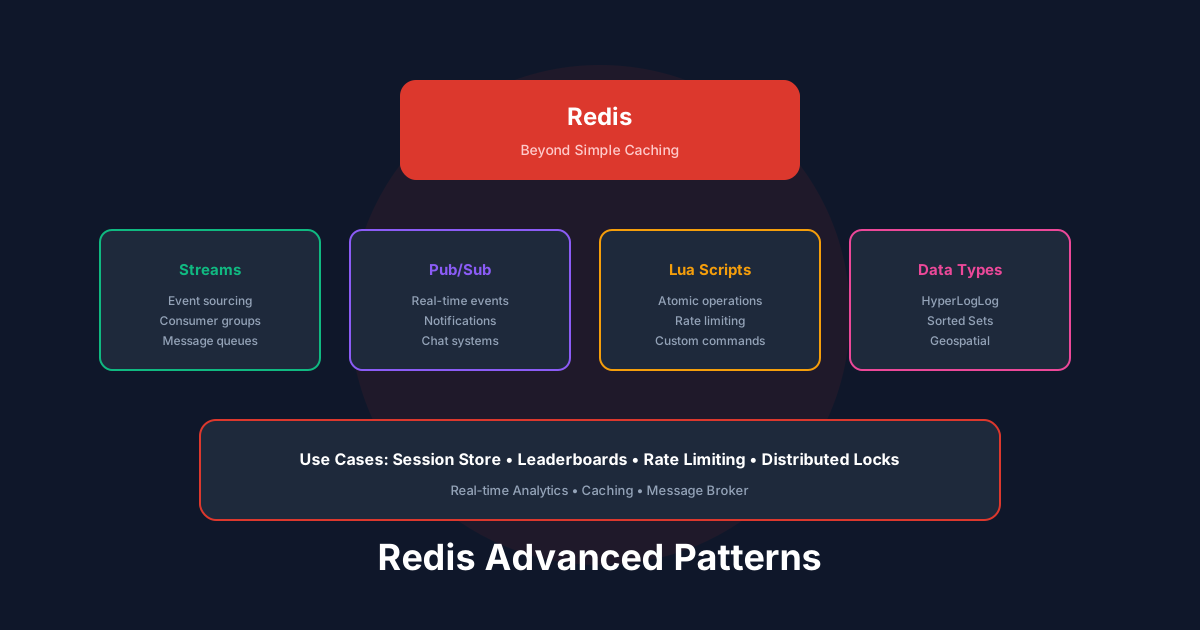
import Redis from 'ioredis';

const redis = new Redis();
const CACHE_TTL = 3600; // 1 hour

async function getUserWithCache(userId: string) {
  const cacheKey = `user:${userId}`;

  // Try cache first
  const cached = await redis.get(cacheKey);
  if (cached) {
    return JSON.parse(cached);
  }

  // Cache miss - fetch from database
  const user = await db.query('SELECT * FROM users WHERE id = $1', [userId]);

  // Store in cache
  await redis.setex(cacheKey, CACHE_TTL, JSON.stringify(user));

  return user;
}

// Invalidate on update
async function updateUser(userId: string, data: any) {
  await db.query('UPDATE users SET name = $1 WHERE id = $2', [data.name, userId]);
  await redis.del(`user:${userId}`);
}
Query Result Caching
SQL
-- PostgreSQL: Materialized View for complex aggregations
CREATE MATERIALIZED VIEW sales_summary AS
SELECT
    date_trunc('day', created_at) as day,
    SUM(total) as daily_total,
    COUNT(*) as order_count
FROM orders
WHERE created_at > CURRENT_DATE - INTERVAL '90 days'
GROUP BY 1;

-- Create index on materialized view
CREATE INDEX idx_sales_summary_day ON sales_summary(day);

-- Refresh periodically
REFRESH MATERIALIZED VIEW CONCURRENTLY sales_summary;
Connection Pooling
TypeScript
// Using pg-pool for PostgreSQL
import { Pool } from 'pg';

const pool = new Pool({
  host: 'localhost',
  database: 'myapp',
  max: 20,              // Max connections in pool
  idleTimeoutMillis: 30000,
  connectionTimeoutMillis: 2000,
});

// Queries automatically use pooled connections
const result = await pool.query('SELECT * FROM users WHERE id = $1', [1]);
Scaling Strategies
Read Replicas
TypeScript
// Route reads to replicas, writes to primary
const primary = new Pool({ host: 'primary.db.com' });
const replica = new Pool({ host: 'replica.db.com' });

async function query(sql: string, params: any[], isWrite = false) {
  const pool = isWrite ? primary : replica;
  return pool.query(sql, params);
}
Partitioning
SQL
-- Range partitioning by date
CREATE TABLE orders (
    id SERIAL,
    user_id INT,
    total DECIMAL,
    created_at TIMESTAMP
) PARTITION BY RANGE (created_at);

CREATE TABLE orders_2025_q1 PARTITION OF orders
    FOR VALUES FROM ('2025-01-01') TO ('2025-04-01');

CREATE TABLE orders_2025_q2 PARTITION OF orders
    FOR VALUES FROM ('2025-04-01') TO ('2025-07-01');
Monitoring & Alerting
Track these key metrics:
Conclusion
Database optimization is iterative. Measure first, then optimize based on data. Always test changes in a staging environment before production.
Recommended Reading
Recommended Read

Designing Data-Intensive Applications
by Martin Kleppmann
The big ideas behind reliable and scalable systems
View on Amazon
As an Amazon Associate, we earn from qualifying purchases.
Recommended Read

SQL Performance Explained
by Markus Winand
Everything developers need to know about SQL performance
View on Amazon
As an Amazon Associate, we earn from qualifying purchases.
💬Discussion
🗨️
No comments yet
Be the first to share your thoughts!