Title
Why getElementById Returns Null (And the Fix That Actually Sticks)
Alternate Title Options
Meta Description (155-160 chars)
Fix getElementById returning null by waiting for DOMContentLoaded, checking IDs, avoiding duplicates, and using safe selection with fast debugging checks today.
Assumptions
1) Hook: the scene + the pain
You open the page, click the button, and nothing happens.
The console says getElementById returned null.
You scroll the HTML and the element is right there.
You add another log, refresh, and the error moves to a different line.
A teammate says, "Just add a setTimeout." You know that is not a fix.
Here is what is actually happening and how to fix it.
Three things people say out loud:
> If you only remember one thing: The DOM is a moving target. Select after it exists, and verify the ID contract.
2) The real problem (plain English)
getElementById returns null when the element is not in the DOM at the moment you call it. That can be because:
The fix is to align your selection timing with your render timing and enforce a strict ID contract.
3) What is going on under the hood (deeper, but still clear)
The browser parses HTML top to bottom. If your script runs before the element appears, it cannot be found. When frameworks re-render or hydrate, elements can be replaced, so a reference taken too early can become stale.
IDs are also unique by definition. If you have duplicates, the browser picks the first match and the rest become unreliable. That is why nulls appear in some cases and not others.
Think of it like trying to call someone before they have joined the meeting. The call fails, even though they will be there in a minute.
4) The fix (step-by-step)
Step 1: Confirm the ID in the DOM.
Open DevTools and verify the exact ID exists and is unique.
Step 2: Check when your script runs.
If the script tag is in the head without defer, it runs before the DOM is built.
Step 3: Wait for the DOM or defer the script.
Use DOMContentLoaded or a deferred script tag.
Step 4: Handle dynamic rendering.
If the element is added later, use event delegation or wait for the render event.
Step 5: Add a fail-fast guard.
If the element is missing, log an explicit error with the ID so you catch regressions.
Quick win
Best practice
> Pro tip: Make the selector a constant and log it. It saves hours during production debugging.
> Watch out: setTimeout only hides timing issues and will fail on slow devices or bad networks.
5) Example(s) (code/commands/config) + explanation line-by-line
Example A: Wait for DOMContentLoaded
document.addEventListener('DOMContentLoaded', () => {
  const button = document.getElementById('save-button');
  if (!button) {
    console.error('Missing #save-button');
    return;
  }

  button.addEventListener('click', () => {
    saveProfile();
  });
});
Explanation:
Example B: Use defer to ensure scripts run after parsing
<script src="/js/profile.js" defer></script>Explanation:
Example C: Event delegation for dynamic elements
document.addEventListener('click', (event) => {
  const target = event.target as HTMLElement | null;
  const button = target?.closest('[data-action="save"]');
  if (!button) return;

  saveProfile();
});
Explanation:
6) Common pitfalls (and how to spot them fast)
Debugging: symptoms -> likely causes -> checks
7) Checklist / TL;DR (copyable)
- [ ] Verify the ID exists and is unique.
- [ ] Ensure scripts run after DOM parsing.
- [ ] Use DOMContentLoaded or defer.
- [ ] Handle dynamic elements with delegation.
- [ ] Add a guard and log missing IDs.
8) Optional: When NOT to do this + alternatives
If you are using a framework, prefer its ref system instead of raw DOM queries. In React, use refs. In Vue, use ref bindings. That keeps selection tied to component lifecycle.
If you cannot rely on IDs, use data attributes and querySelector with a scoped parent.
9) Best practices
10) Closing: what to do next
Audit your scripts for early DOM access. Fixing just one early query often removes a class of flakey bugs across the app.
Copy/paste checklist:
- [ ] Wait for DOMContentLoaded or use defer.
- [ ] Check the ID contract.
- [ ] Use delegation for dynamic nodes.
- [ ] Log missing elements immediately.
Mini FAQ:
Q: Why does it work after refresh but not on first load?
A: The script runs before the element exists on the first load.
Q: Can I just use setTimeout?
A: No. It is unreliable and hides timing bugs.
Q: Why does querySelector work but getElementById does not?
A: It might be selecting a different element or the ID is duplicated.
Q: How do I avoid this in frameworks?
A: Use refs tied to the component lifecycle instead of global DOM queries.
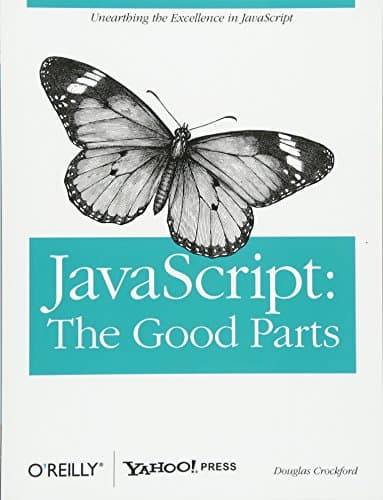
Recommended Reading
💬Discussion
No comments yet
Be the first to share your thoughts!